|
How do I use that YAHOO box
on the side of the web page?

Scroll down
this page to learn more about it!
Step 1:
You
are obviously interested in finding some information
that can help
you at
school or home.
The first step is to decide if our web site, principalspartnership.org,
or the broader world wide web is more likely to
help you.
Once you decide you
should select the round "radio button" that either
states "search the web"
or "search this web site", meaning, principalspartnership.org.
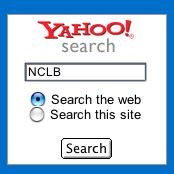
figure 1
In order to
get started, I typed in NCLB, in
an attempt to find some great "No Child Left Behind"
resources. As you
can see in Figure 1, I selected "Search the
Web" because I am interested in finding
resources that are located everywhere on the world
wide web. Then I click the SEARCH button to see my
results!
Step
2:
Let's
see the results in Figure 2!
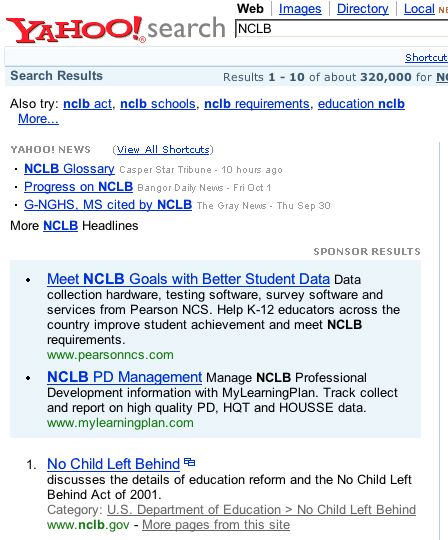
figure 2
It looks like we did
pretty well!
The Yahoo search page
in FIGURE 2 shows several
news items, a few sponsored links (in the light
blue area) and the start of your unique findings.
It has
selected the NCLB.gov web site which gives
me a lot of confidence in the quality of the links.
To select a link you
simply click on the blue
underlined writing.
In order to get back to the principalspartnership.org
web site simply click the BACK button
on your browser.
Step 3:
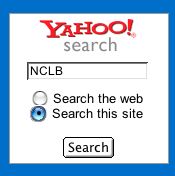
figure 3
Now, let's say
you are looking for an educational leadership
resource or you are trying to find an old article
you read on our web site. This time you would select
the "Search this site" radio button to restrict
the search to the principalspartnership.org web
site.
In order to simulate
this I will re-enter NCLB but only "Search
this site" to see what I can find. Then
I will click on the SEARCH button.
Step 4:
Here are the
results! 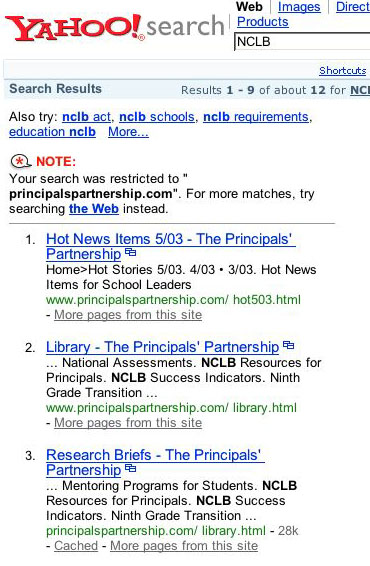
figure 4
Wow,
we really found a lot of resources that refer to
this topic on our web site! The only difference
is the scope of the search. Everything else should
work
the same. This will really allow you to "mine"
our growing site!
To
select a link you simply click on the blue
underlined writing. In order to get
back to the principalspartnership.org web site
simply click the BACK button on your
browser.
|